

하나의 공통 기반
Agent that doing the work
Custom build tailored into your current work process that running at scale.
01
Data
Any emails, messages, images, documents, and spreadsheets.
02
Decision
Logic processing based on your business rules.
03
Action
Create records, send responses, and complete the work.
04
Monitor
Keep the AI Agents performance within the expectation.
하나의 관제 화면
모든 에이전트를 한곳에서
Build an agent, put it to work, and watch it run from a single dashboard. Every manual process you hand over stays visible: what got processed today, what is still in the queue, and which agent handled it. No status meetings, no spreadsheet of who is doing what.
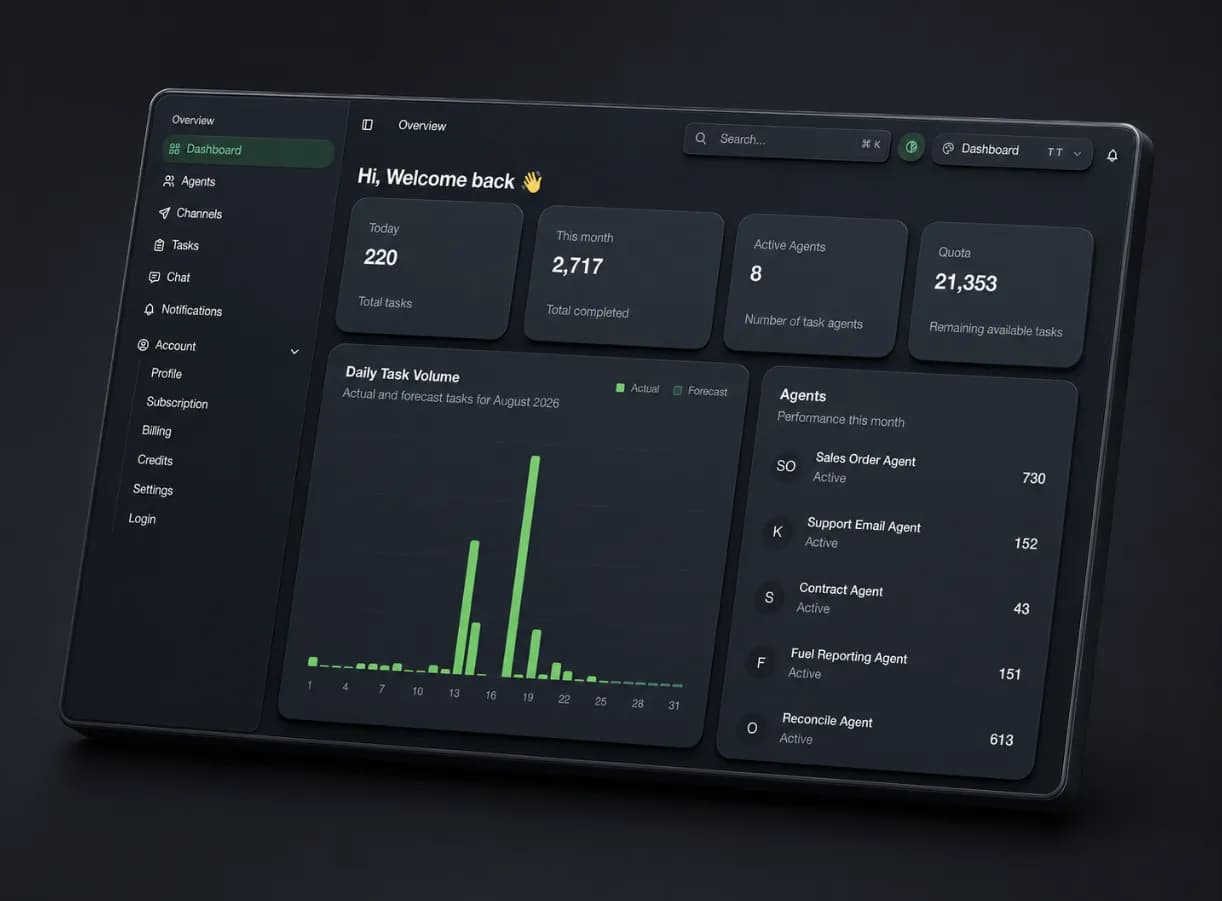
Every agent in one list
Create an agent, switch one on or off, and see how many tasks each has completed this month.
Volume you can plan around
Daily task volume with actual against forecast, plus the quota you have left to spend.
Nothing runs unseen
Tasks, channels, chat, and notifications sit in one place, so every finished and pending job stays traceable.
업무가 들어오는 곳
모든 채널
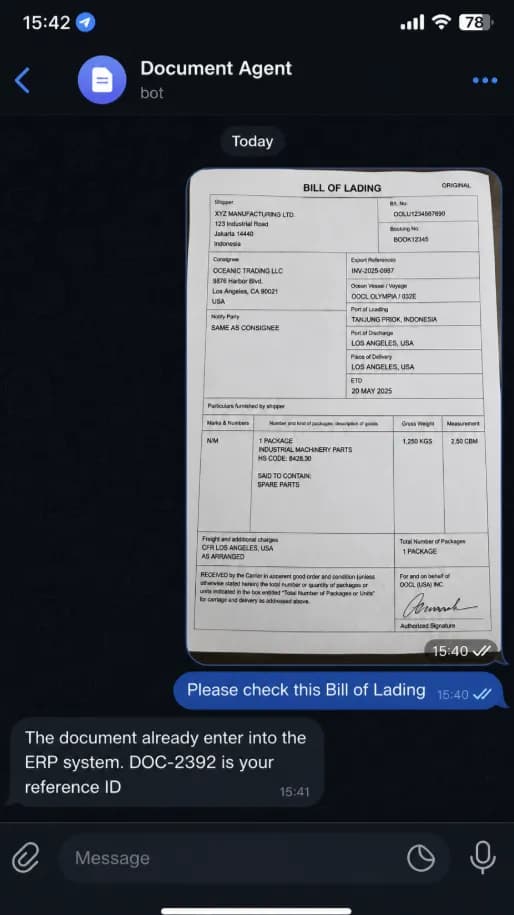
Your team does not have to open another tool. They forward the email, snap a photo of the document in WhatsApp, or drop the file into the Teams channel they already sit in all day — and the agent picks it up from there, does the work, and answers in the same conversation.
- No new app to learn
- Work arrives through the inbox and chat apps your team already uses every day.
- The answer comes back
- Confirmation and the reference ID land in the same thread, seconds later.
- AI Agent work
- The same rules and the same system of record, whichever channel the work came in through.
루틴 스케줄러
반복 업무는 스스로 실행됩니다
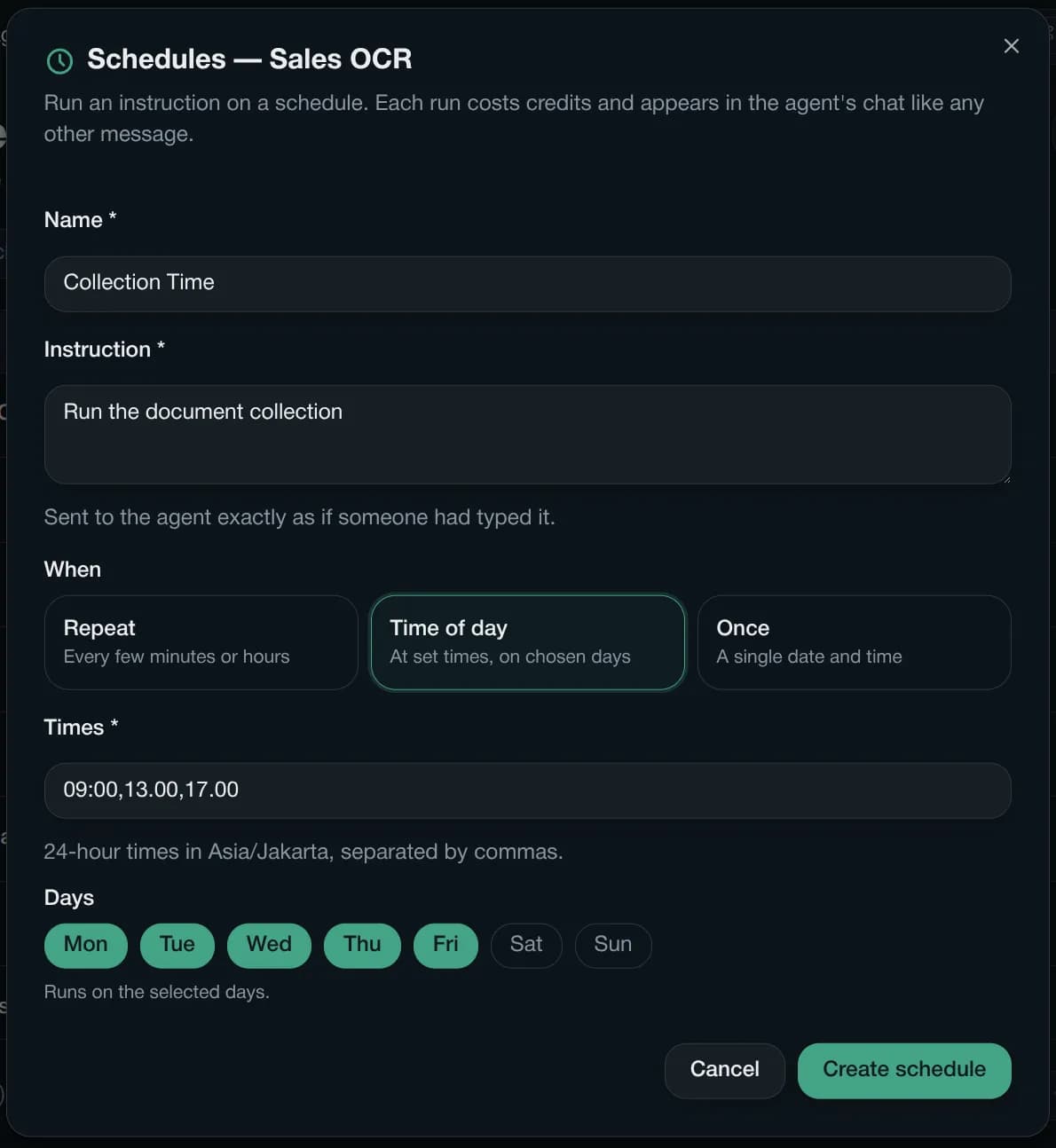
Write the instruction once in plain language and choose when it should run. Dagploy sends it to the agent exactly as if someone had typed it, so the morning document collection, the hourly reconciliation, and the Friday report all happen without anyone remembering to start them.
- Repeat
- Every few minutes or hours, for work that cannot wait for a fixed slot.
- Time of day
- At set times on chosen days — 09:00, 13:00 and 17:00, Monday to Friday.
- Once
- A single date and time, for a cutover or a one-off batch.
Times follow your own timezone, and every scheduled run appears in the agent chat like any other message — so you can always see what ran and when.
작동 방식
The Deployment Plan
Share the data sources
Create business rules
API integration
Stress Testing
Production
통제를 위한 설계
Human judgment where it matters.
Review the output before entry into the system.
모든 산업
Different operations. The same dependable platform.
Start with one high-value workflow, prove the result, and expand across teams without rebuilding the foundation.